pulse

From your directory. To every voice platform.

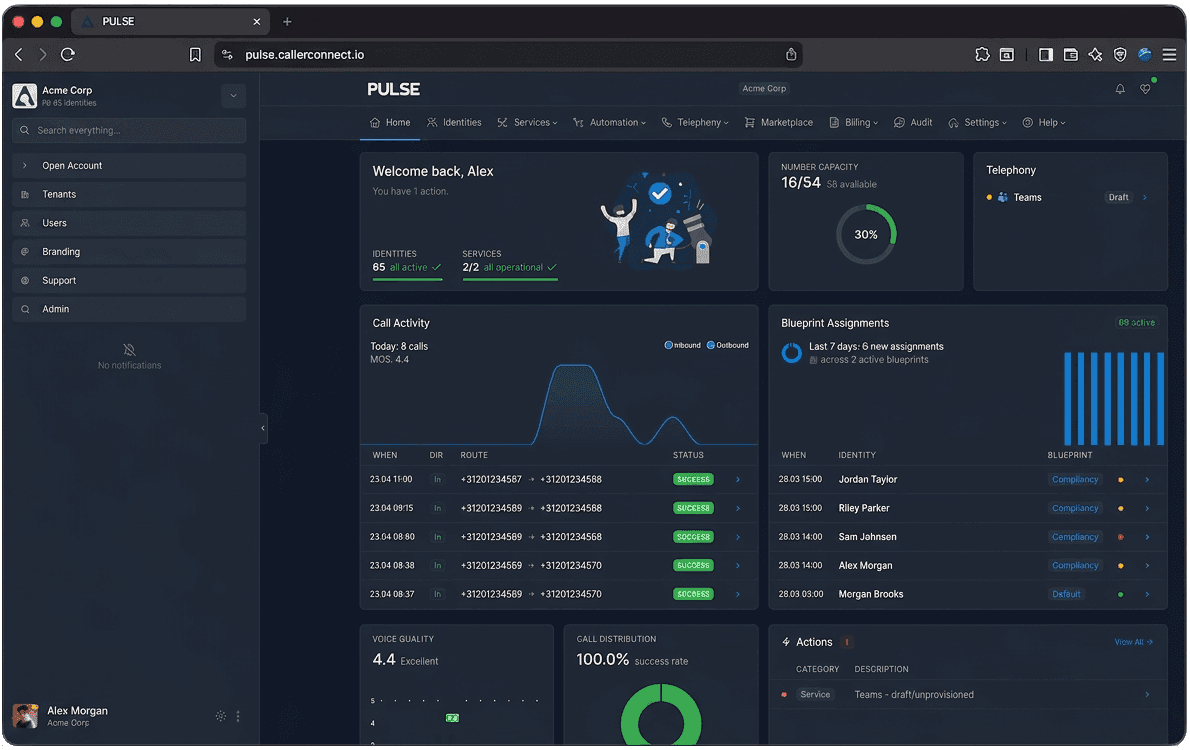
An automatic provisioning, driven by your directory of record. Spin up accounts, assign numbers, allocate licences, sync group memberships, set call routing, and reclaim everything on offboarding - across every connected platform, with approvals where you want them and every action in the audit log. No spreadsheets, no scripts, no vendor portals.

Phone calling tab inside Microsoft Teams
provisioning flow

Identity-driven provisioning, end to end.

Pulse turns a single directory change into the right set of services on every connected platform — with approvals where you want them, and a full audit trail behind every step.

Users Platforms
Entra ID
Googlesoon
New identity detected
Detect
User record

Martin · Amsterdam
Joined Sales group

Blueprint selected
Match
Rules matched
  • Dept = Sales
  • Group = sales-nl
  • Office = Amsterdam

Sales blueprint

Actions staged
Plan
Planned
  • +31 20 555 1234
  • License Teams Phone
  • Join Sales queue
  • Add to #sales-nl
Approval decision
Approve
Approval
  • Auto-approve
  • Manager reviews
  • MSP reviews
Services live
Deliver
Pushed to platforms
  • Teams · synced
  • Calls routed to Teams
  • Onboarding mail sent
  • Audit logged
Microsoft Teams
PBX / SBC
Webhooks & CRM
Inside Pulse

A closer look at the platform.

Built for the people who run voice: admins, integrators and support engineers. A few of the screens they live in every day.

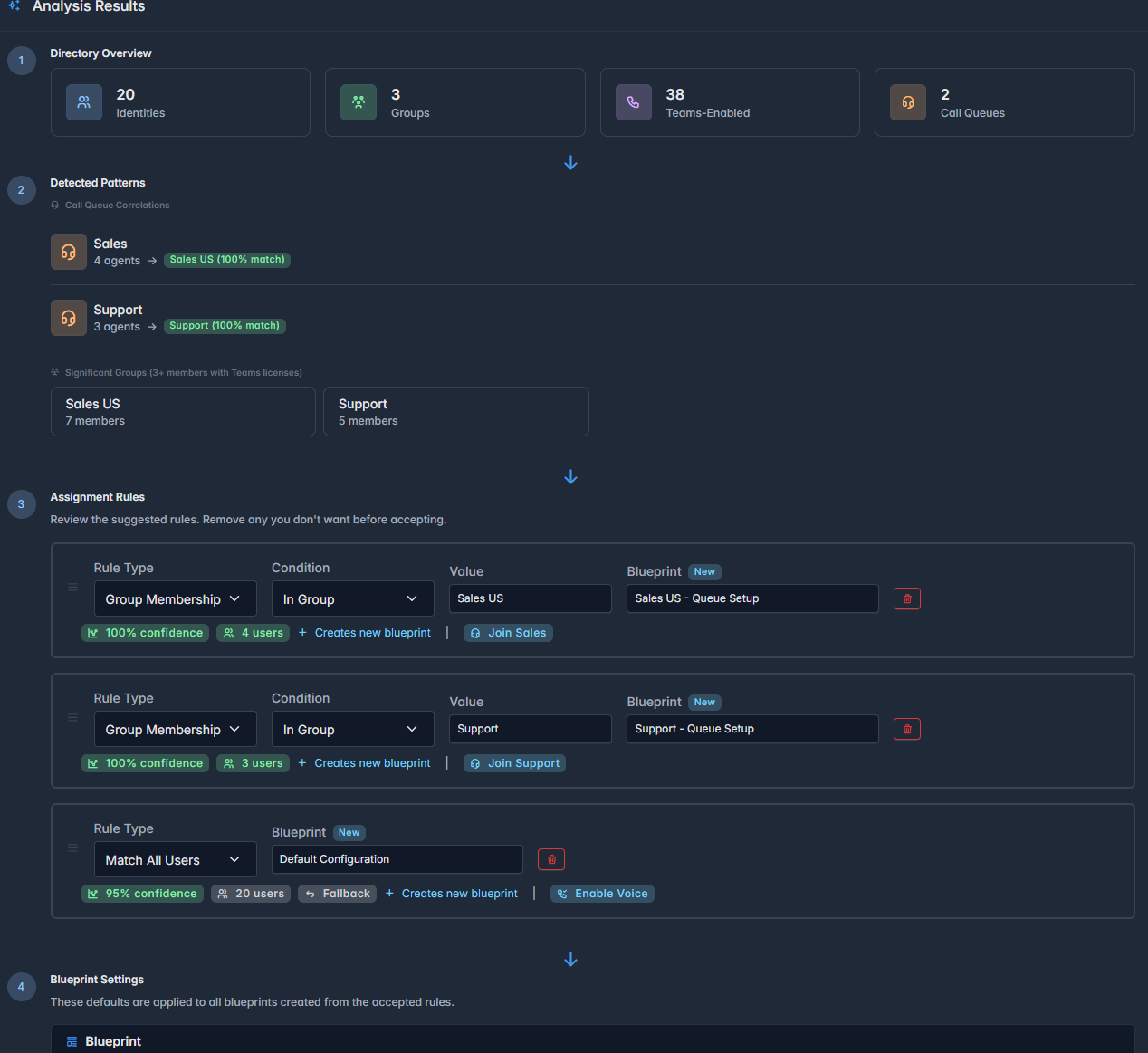
Directory analyzer showing identities, groups, queue memberships and assignment rules

Blueprint suggestions, by pattern.

Directory analyzer

Point Pulse at a directory and it figures out the groups — queue memberships, role patterns, blueprint candidates with confidence scores you can accept or edit.

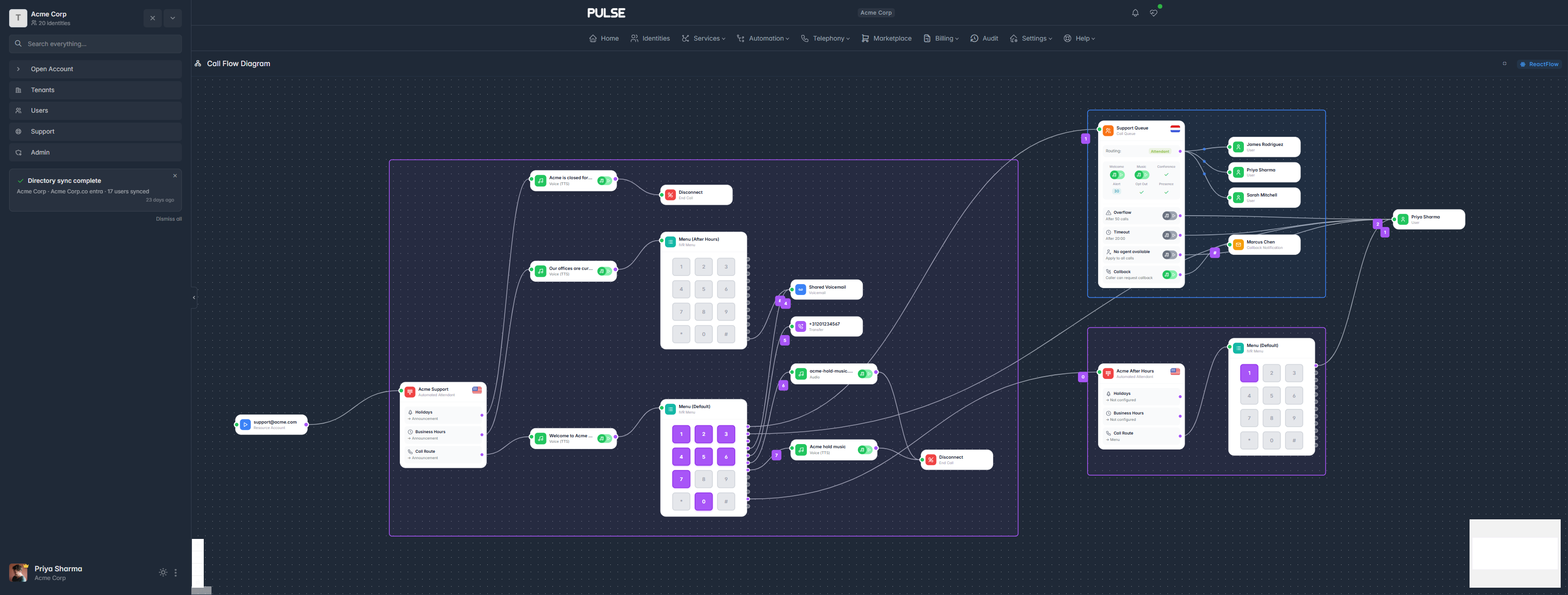
Call flow diagram with decision nodes, agents and queues connected as a visual graph

See every hop a call takes.

Call flow diagram

IVR nodes, queues, transfers and hunt groups as a single visual graph. Drop in a change, preview the new path, ship it with confidence.

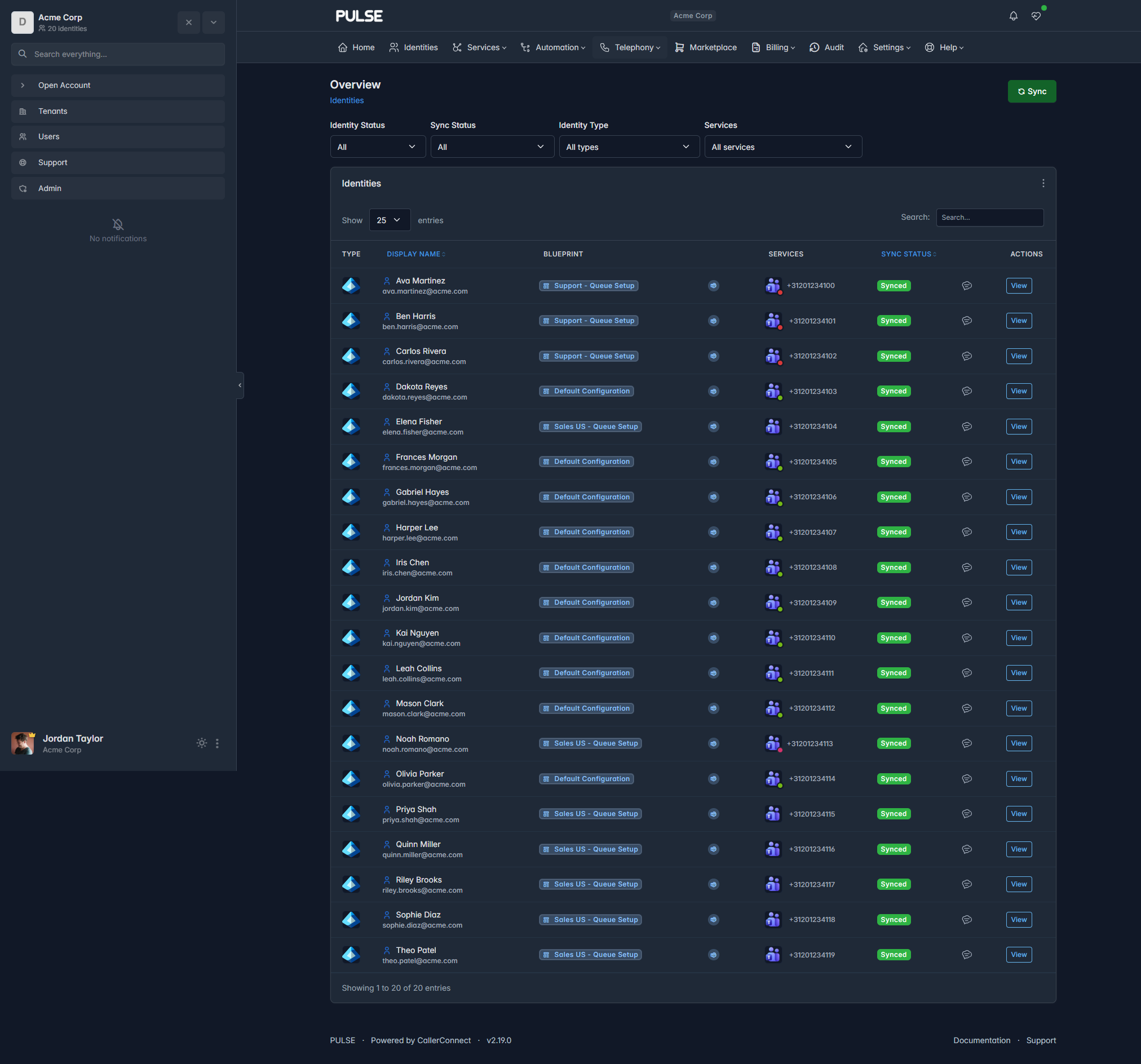
Identities list with alignment, services and sync status per user

Every user, at a glance.

Identities

Identities from every connected directory in one list — assigned blueprints, service status, numbers. Sync when you want; Pulse keeps watch in between.

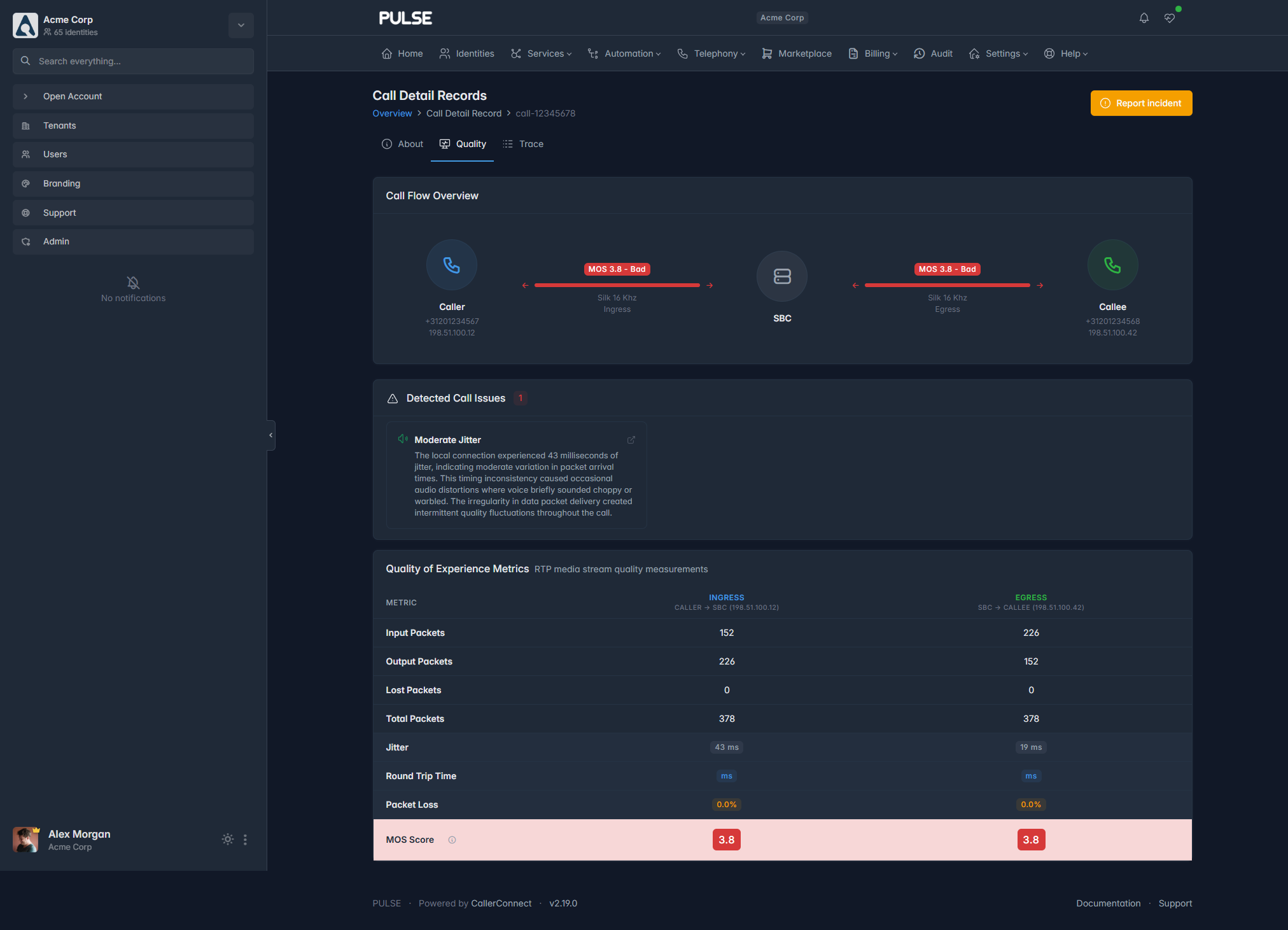
Call Detail Record quality view with MOS, jitter, packet loss and automatic issue detection

Quality of Experience, per call.

Call quality

MOS scores, jitter, packet loss, RTT — with automatic issue detection on every Call Detail Record. No more chasing ghosts.

How it works

Onboarding and managing services.

Three steps from first connection to full autonomy — with transparency at every level.

1

Identity store access

Onboarding starts by connecting the identity store — Microsoft 365, Google Workspace, LDAP, or another directory. The admin defines the guardrails and retains full control over shared details.

2

Manage via blueprints

Blueprints enable automated configuration based on identity information and pre-set variables. This configuration can be applied immediately or first routed through an approval workflow.

3

Maintain control

All actions and changes are logged. Calls are actively monitored, with predefined triggers alerting on any service degradation. The system is built to be fully autonomous, yet transparent at every level.

See Pulse run your scenario live.

Bring your tenant, carrier or policy challenge. We'll show you what Pulse does with it in under 30 minutes.